How do I set up my career site?
The Career Site allows candidates to view your open vacancies and apply directly through Sterndesk.
Before you can publish vacancies and receive applications, you need to configure and activate your Career Site.
Who Can Manage the Career Site?
Only Owners and Admins can change Career Site settings.
Members can view the current settings but cannot make changes.
Learn more about workspace access: How Do Roles and Permissions Work?
Activate Your Career Site
To activate your Career Site:
- Go to Settings.
- Select Career Site.
- Click Activate Career Site.
When your Career Site is activated, Sterndesk automatically creates it using default settings.
Your Career Site immediately becomes publicly accessible and can display your published job postings.
Customize Your Career Site
After activation, you can customize your Career Site at any time.
The following settings are available:
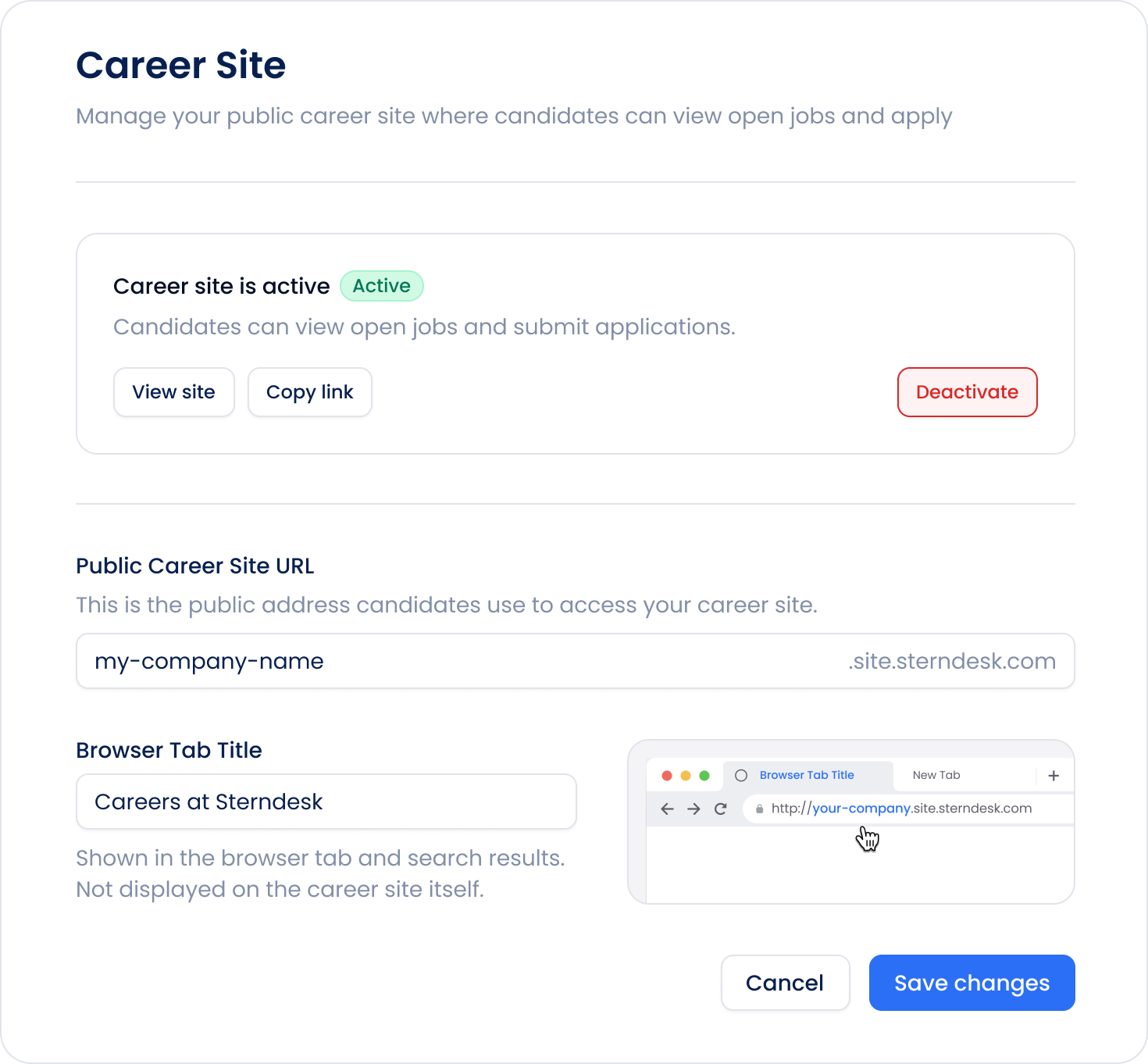
Career Site URL
Change the URL slug used for your public Career Site.
Your public Career Site address is updated automatically when you save your changes.
Browser Tab Title
Set the title that appears in the browser tab when candidates visit your Career Site.
By default, this is generated automatically, but you can change it at any time.
Open Your Career Site
Use the View site button to view your public Career Site and verify that everything looks as expected.
Deactivate Your Career Site
If you no longer want to receive applications, you can deactivate your Career Site at any time.
When the Career Site is deactivated:
- Your Career Site is no longer publicly accessible.
- Published job postings are no longer visible.
- Candidates cannot submit new applications.
- Existing candidates, job postings, and applications remain available in Sterndesk.
You can reactivate your Career Site whenever you are ready to start recruiting again.
What’s Next?
Once your Career Site is active, you can create and publish your first vacancy.
Read next: How to Post a Vacancy?
Can't find what you're
looking for?