How to add vacancy templates?
Before you start, it’s helpful to understand why vacancy templates are useful and what they do. You can read more about it here.
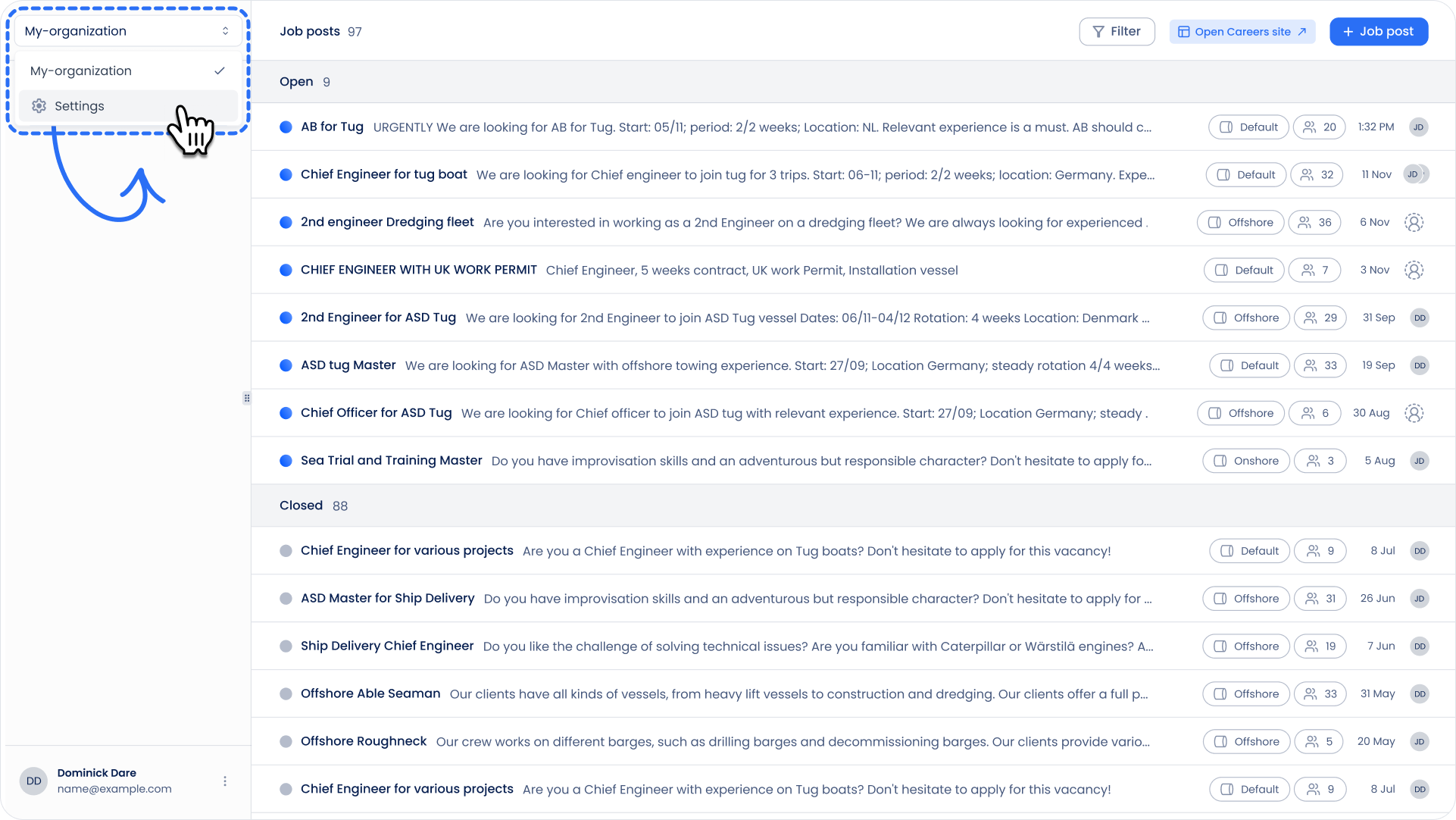
- Go to Settings.
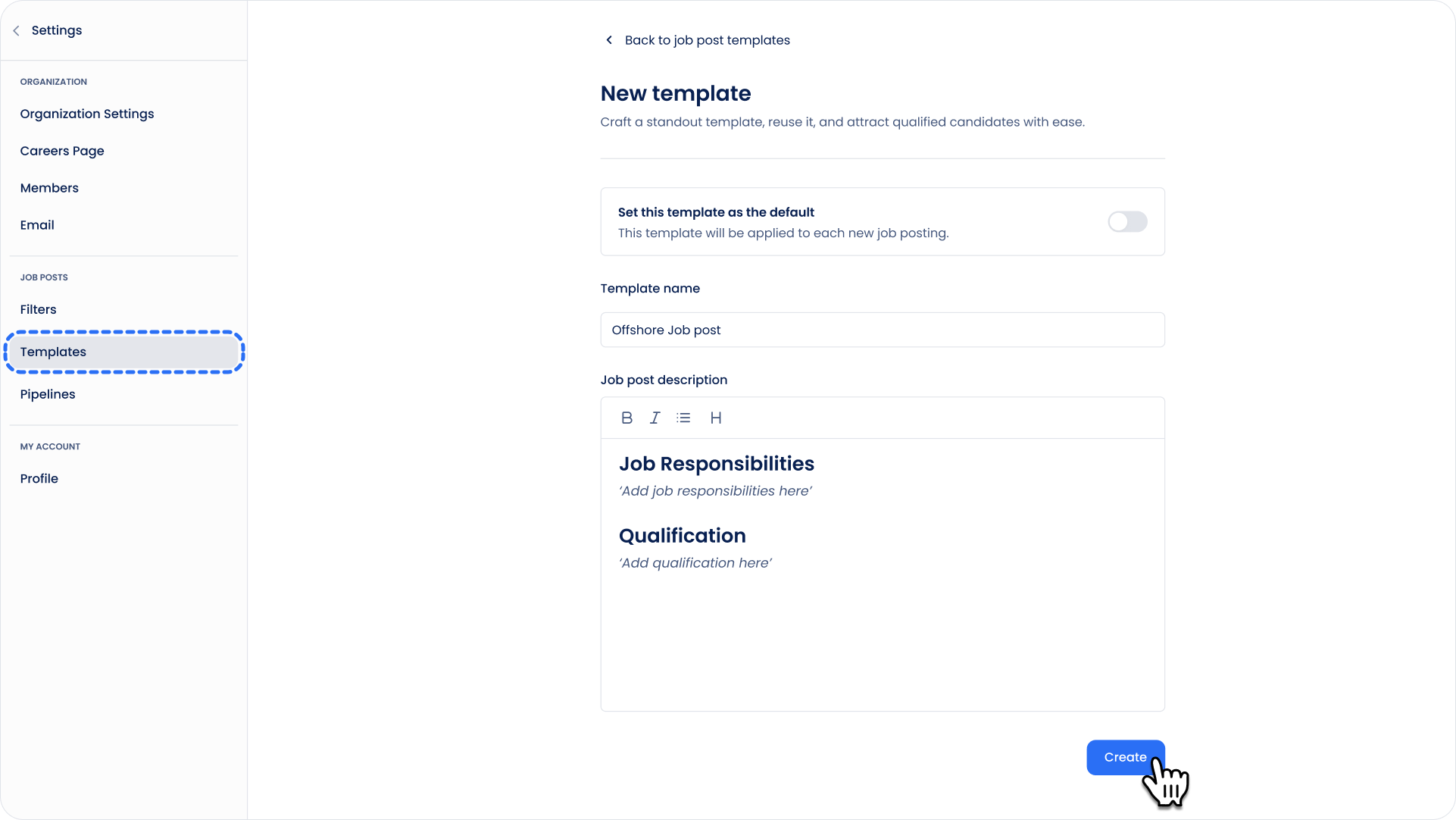
- Under Job Posting, click on Templates.
- Click the blue ‘Create template’ button.
- Enter a title and fill in the body text for the template.
- When you’re done, click ‘Create’ to save your template!
Can't find what you're
looking for?