How does AI matching work?
AI Matching helps you quickly find candidates who match the requirements of a job posting.
Sterndesk compares information from candidate profiles with the requirements of a job posting and calculates a Match Score.
Where Can You See Matches?
You can see matching information in three places:
Job Posting → Matches
Open a job posting and go to Matches to see recommended candidates from your database.
Only candidates with a Match Score of 60% or higher are shown as recommendations.
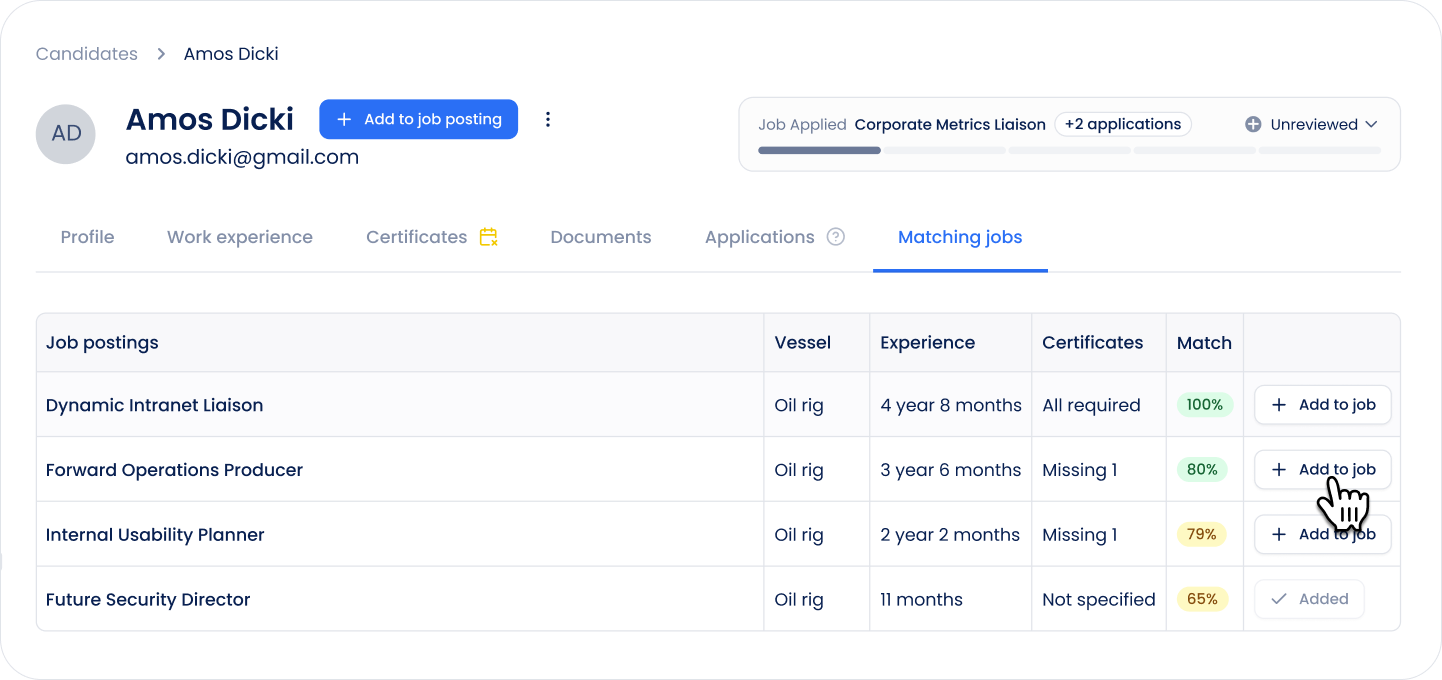
Candidate Profile → Matching Jobs
Open a candidate and go to Matching Jobs to see job postings that match the candidate's profile.
Candidates → Job Posting and Match to Job Filters
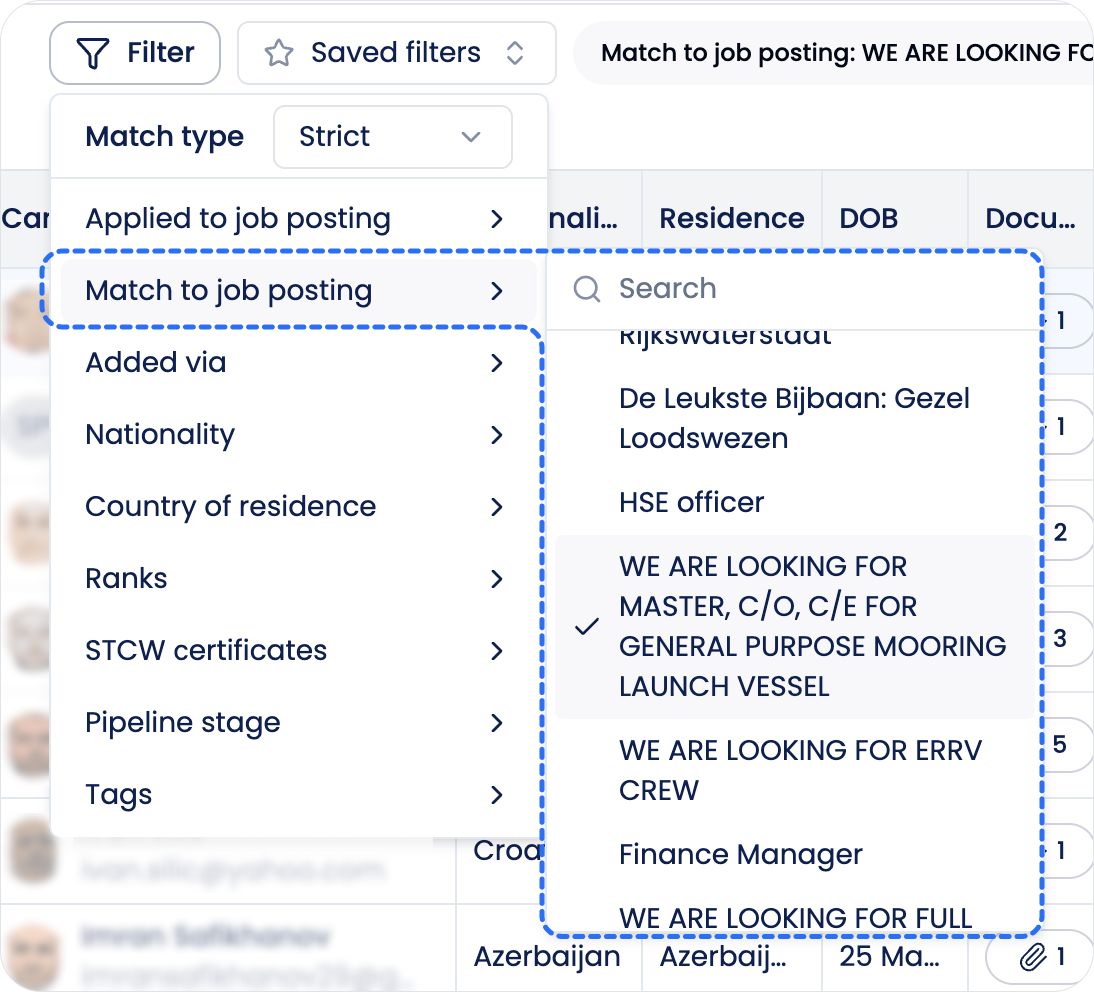
On the Candidates page, you can use job-related filters in two different ways, depending on what you want to find.
Applied to job posting filters the list to candidates who are already connected to a specific job, for example through an application or by being manually added.
Match to job posting helps you find and compare candidates based on how well they match the requirements of a selected Job Posting. After selecting a job, Sterndesk calculates and displays the Match Score for candidates, making it easier to identify relevant candidates who may not yet be part of that job.
Use Applied to job posting when you want to see candidates already associated with a job. Use Match to job when you want to discover candidates who could be a good fit for it.
What Is Used for Matching?
Sterndesk uses the requirements available in the job posting and compares them with information from the candidate profile.
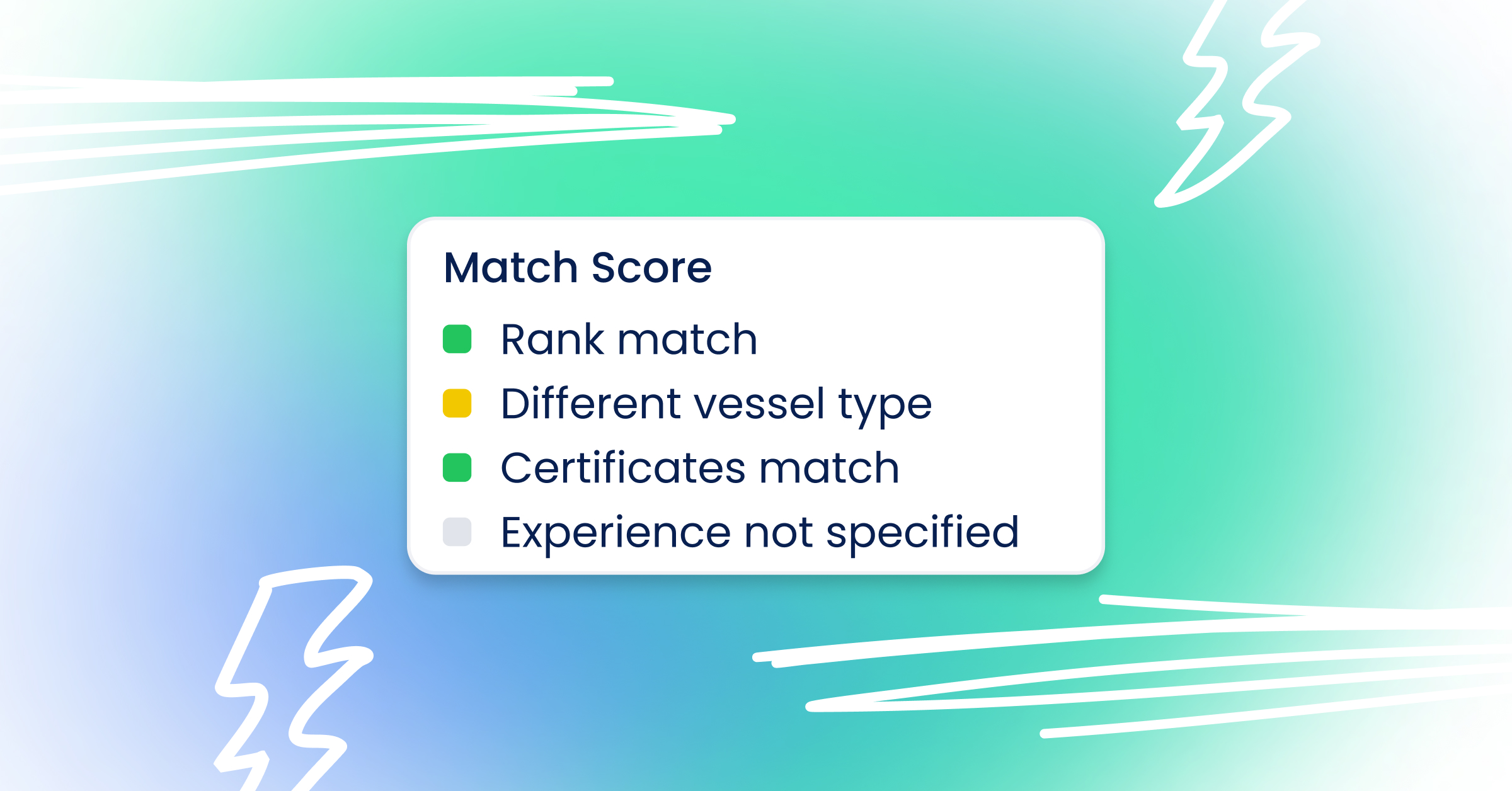
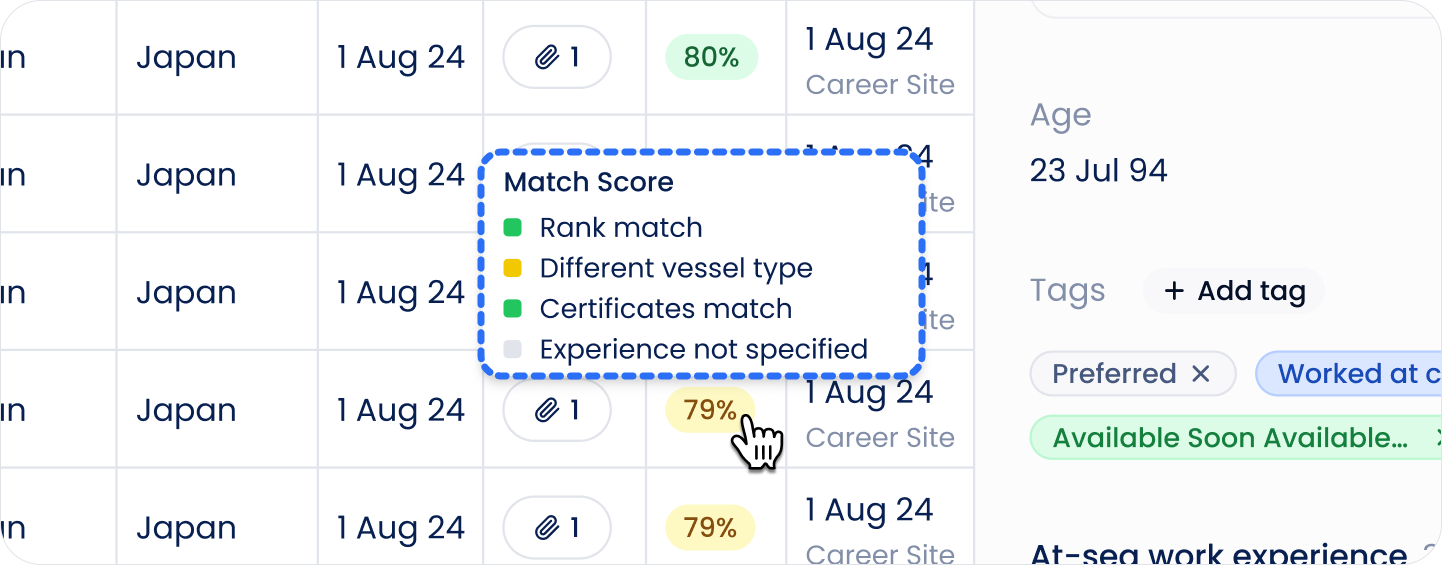
Matching can include:
- Rank
- Vessel type
- Certificates
- Experience
The Match Score is based only on requirements that are available in the job posting. If a job posting does not contain a particular requirement, it is not included in the score.
How Is the Match Score Calculated?
AI helps Sterndesk extract and structure requirements from the job posting and candidate information.
However, AI does not generate the Match Score itself.
Once the information is structured, Sterndesk calculates the Match Score using matching rules. This keeps the score consistent and based on the requirements of the job posting.
What Does the Match Score Mean?
The Match Score shows how well the candidate matches the available requirements of the job posting.
A higher percentage means that more of the relevant requirements match.
Hover over the Match Score to see its tooltip. The tooltip provides more information about the match and helps you understand what contributes to the score.
The score is intended to help you prioritize candidates for review. It is not a hiring decision.
Why Does the Match Score Show N/A?
Sometimes a Match Score cannot be calculated and is displayed as N/A.
This can happen when there is not enough information available to calculate a meaningful match between the candidate and the job posting.
N/A does not mean that the candidate is a bad match. It means that Sterndesk cannot calculate the score based on the information currently available.
Does a Match Mean the Candidate Is Added to the Job?
No.
A Match only shows how well a candidate's profile matches a job posting. It does not mean that the candidate has applied or has already been added to that job.
Matched candidates can therefore appear as recommendations without being part of the job posting's pipeline.
Adding a Matched Candidate to a Job
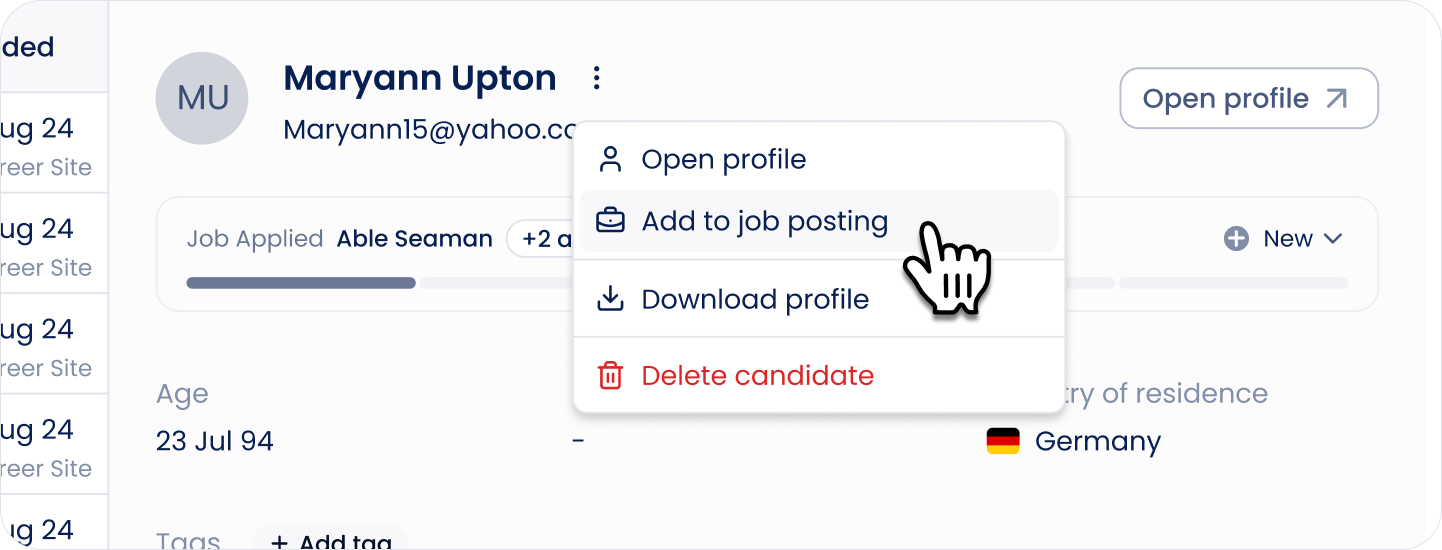
If you decide that a matched candidate should be considered for the vacancy, click Add to job.
This adds the candidate to the job posting and creates an application for them. The candidate can then be managed through the job posting's pipeline.
The existing candidate profile is used, so a new candidate profile is not created.
Related article: How do I add an existing candidate to a job posting?
Can't find what you're
looking for?