What are crew requests and how do you use them?
Crew Request is a feature that helps recruiters organize and track hiring needs for vessel crews in one place. Instead of managing multiple roles and candidates separately, you can create a single request that includes all required positions and monitor progress efficiently.
What is a Crew Request?
A Crew Request is essentially a structured hiring request. It allows you to define:
- what roles you need to fill
- how many crew members are required for each role
- where the crew will be deployed
- and who is responsible for fulfilling the request
This is especially useful when hiring for an entire vessel or multiple positions at once.
How It Works
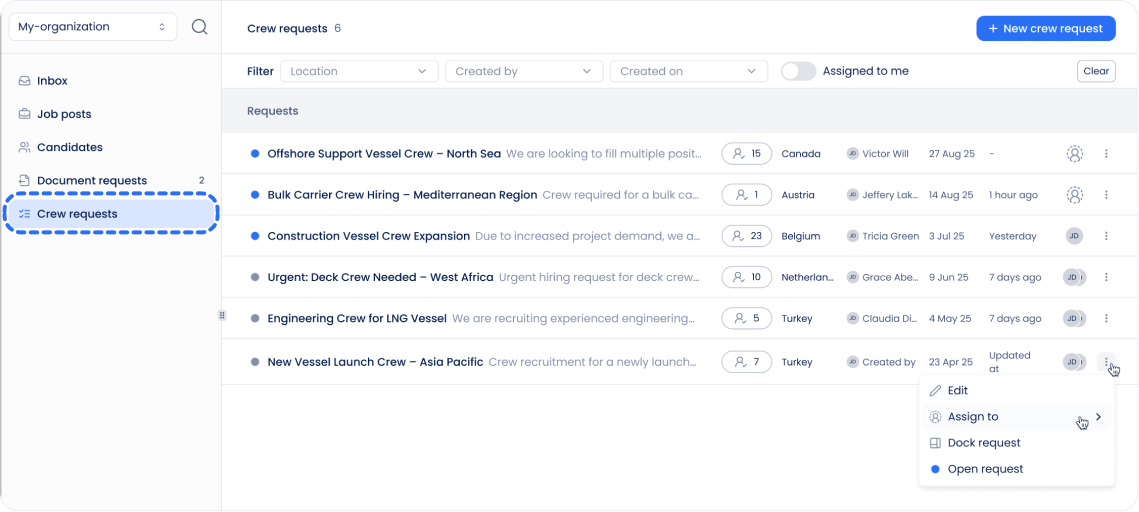
1. Crew Requests List
You can access all Crew Requests from the left-side menu.
Here you can:
- browse all existing requests
- quickly find requests assigned to you
- open any request to see details
2. Crew Request Overview Page
When you open a Crew Request, you’ll see two main tabs:
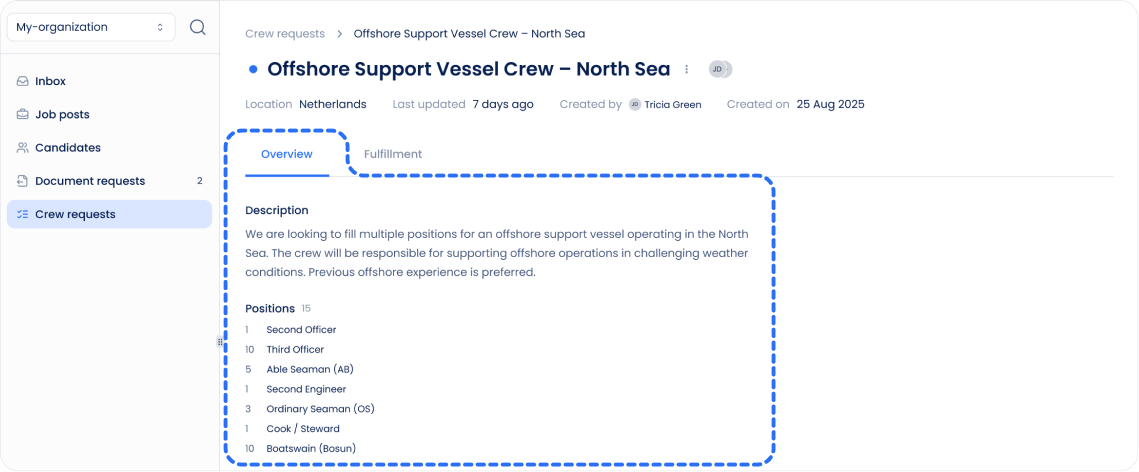
Overview
This tab contains the main information about the request:
- title and description
- location
- assigned recruiters (if any)
- list of required positions (e.g. 2x Second Engineer, 3x Rigger, etc.)
Use this tab to understand what needs to be fulfilled.
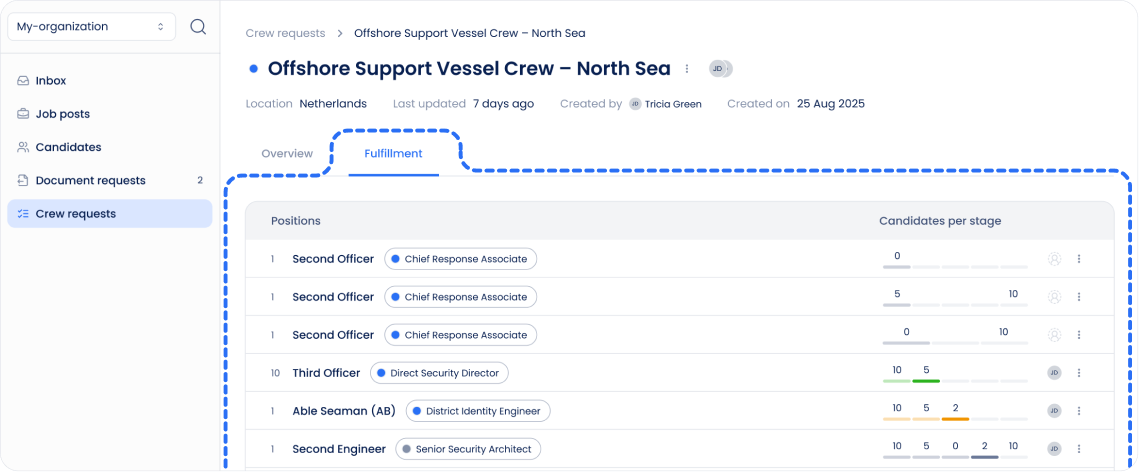
Fulfillment
This is where the real tracking happens.
For each position, you can see:
- linked job postings (if created)
- hiring pipelines for those postings
- how many candidates are in each stage (e.g. applied, interviewing, etc.)
This makes it easy to monitor progress and quickly understand:
- which positions are on track
- which ones need more attention
Summary
Crew Requests help you manage complex hiring needs in a clear and structured way. By combining multiple roles, recruiters, and hiring pipelines into one view, it becomes much easier to stay organized and ensure every position gets filled efficiently.
Can't find what you're
looking for?