How to use Proposals?
Proposals let you group candidates into a shortlist and share them with a client through a public link.
Add candidates to a proposal
You can add a candidate from Candidates, Search, or a Job Pipeline.
Open the candidate menu, click Add to Proposal, and choose an existing proposal or create a new one.
You can add candidates from different job postings to the same proposal.
Learn more about candidate profiles and pipelines.
Manage a proposal
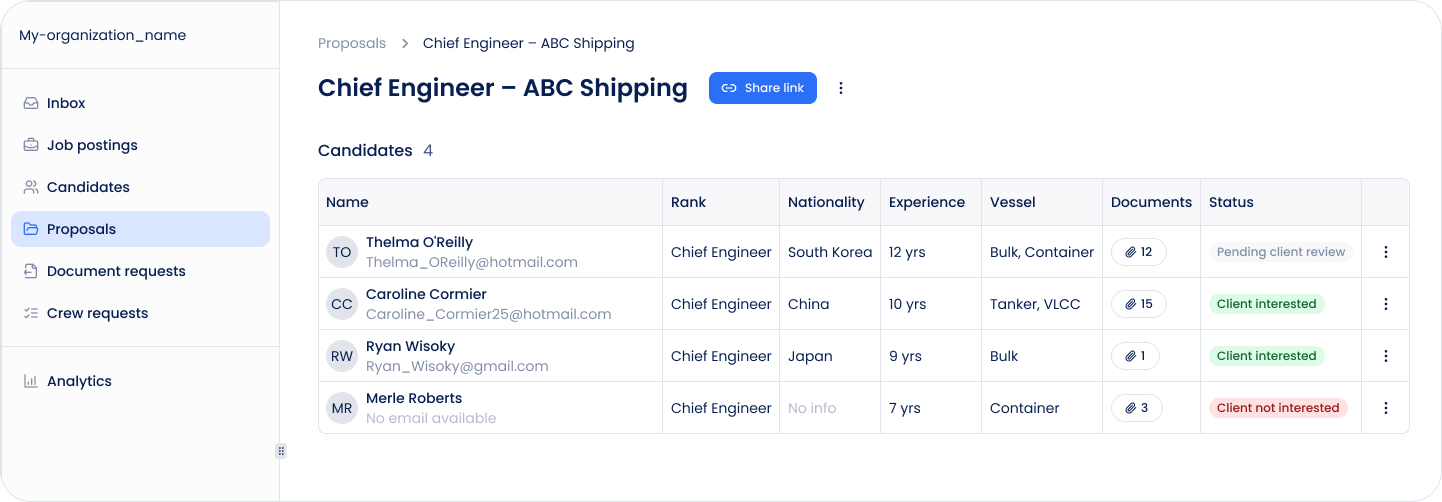
Open Proposals from the main navigation.
Inside a proposal, you can:
- View candidate information
- Open or download candidate documents
- Download the candidate profile as PDF
- Remove candidates from the proposal
- Share the proposal with a client
Removing a candidate from a proposal does not remove their profile from Sterndesk.
Share a proposal
Click Share proposal and copy the public link.
The proposal opens on your Career Site and uses your organization's branding. Your Career Site must be active before you can share a proposal.
The client does not need a Sterndesk account.
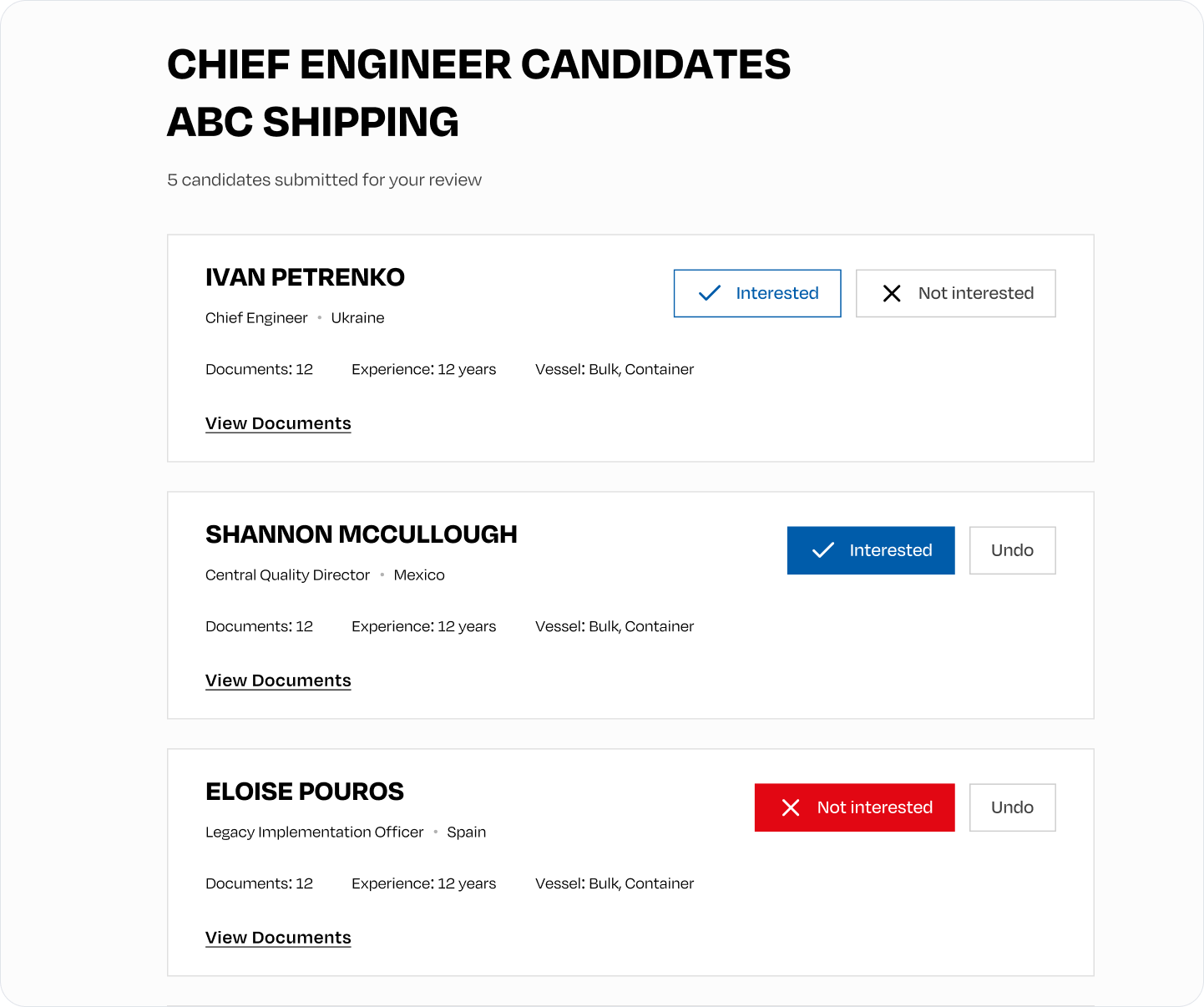
Client feedback
Clients can review candidates and choose:
- Interested
- Not interested
You can see their response directly in the proposal:
- Pending client review
- Client interested
- Client not interested
Proposal feedback is separate from the candidate's pipeline stage and does not move the candidate through the pipeline automatically.
Learn more about how pipelines work.
Can't find what you're
looking for?